




Originally published 20 December 2025. Republished and updated 8 November 2026.
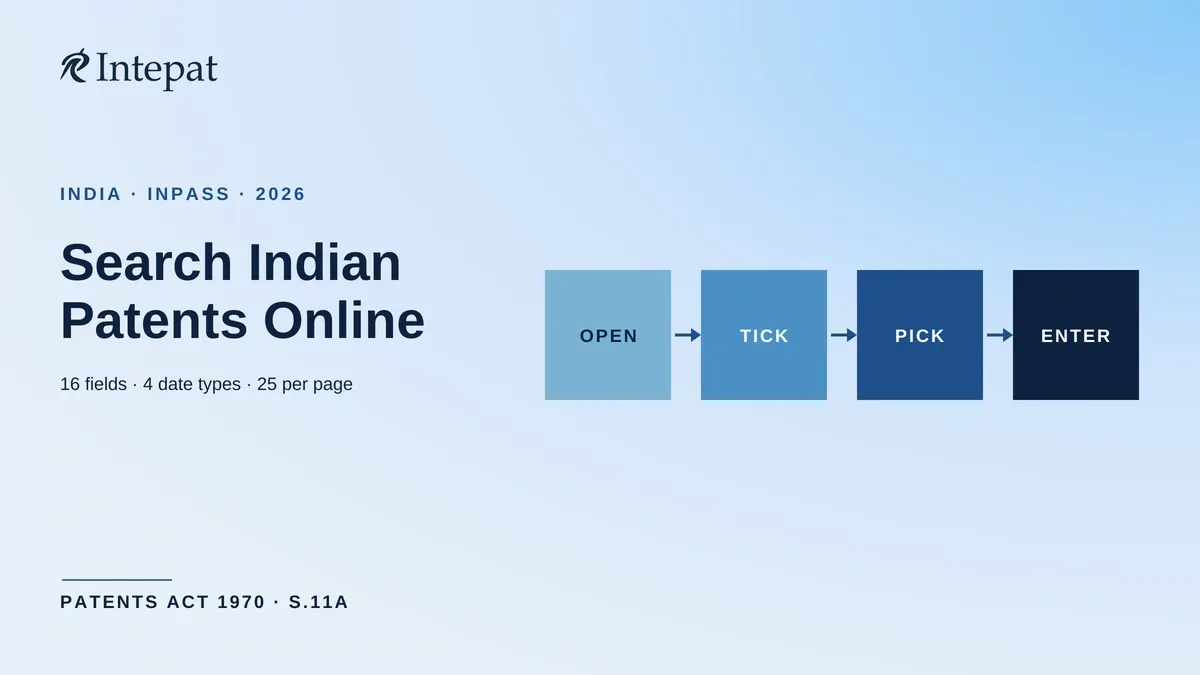
An Indian patent search on InPASS, the Indian Patent Office’s public portal, takes a short time and no account. Open the Patent Search tab, tick the record types, pick a field such as Title, type a term, enter the code shown and click Search. It shows published applications and granted patents, and nothing that is still unpublished.
This guide is for inventors, founders and first-time filers who want to know whether something like their idea is already on record in India before they spend money on drafting. We run these searches for clients under the Patents Act 1970, and we tested every step and example below on the live portal on 8 November 2026.
Quick answer: Start with one plain word in the Title or Abstract field, narrow with a second row joined by AND, and open every record that looks close. A blank result is not proof that your idea is new: filings from roughly the last eighteen months may still be unpublished, and international filings can take longer to reach the Indian record.
What InPASS covers and what it cannot show
InPASS searches the Indian patent records that are open to the public: applications the Patent Office has published and patents it has granted. It does not show applications that are still unpublished, it does not search any foreign patent office, and it does not search journal articles, theses or products already on the market.
That limit shapes how we read every result for a client. A hit means someone filed in India and the filing has become public. A blank means either that nothing matching is public yet or that your words were not the filer’s words. Treat the portal as a first look, not as a clearance, and not as the last word before filing.
Run your first Indian patent search in four steps
The whole form sits on one screen: two tick boxes for record type, a drop-down for the field, a box for your term and a box for the code. The portal asks for the code on every search, so keep the page open and expect to retype it each time.
- Open InPASS and stay on the Patent Search tab. The other three tabs, Patent E-register, Application Status and Help, come later.
- Look at the two boxes at the top. Published is ticked when the page opens; Granted is not. Tick Granted as well if you want granted patents in your results.
- Choose a field from the drop-down, Title to begin with, and type one word in the box beside it.
- Type the code shown into the Captcha Code box and click Search.
Results arrive 25 to a page: application number, title, application date and status, with your search words shaded red. Each row carries an E-register link and an Application Status link. Click the application number and the full record opens in a new tab, which is where the real reading happens.
Choose the right InPASS search fields
The drop-down offers sixteen text fields and four date types, and for a first search Title and Abstract do the work. The other fields earn their place once you know a name, a number or a classification.
The table lists the fields we use most. The sample values are the Help page’s own, except the Complete Specification row and the twelve-digit number, which are ours.
| What you want | Field | What to type |
|---|---|---|
| Records on a topic | Title (or Abstract) | A plain word such as computer |
| Words from inside the full document | Complete Specification | A phrase from the invention |
| One known application | Application Number | 3285/CHENP/2008, or a twelve-digit number |
| One granted patent | Patent Number | 218531 |
| A company’s or person’s filings | Applicant Name | A name such as singh |
| An inventor’s filings | Inventor Name | A name such as Beth |
| Filings at one patent office | Filing office | DEL |
| An international application | PCT Application Number | PCT/US2003/039364 |
Two more fields are worth knowing. The IPC field takes the international classification code that marks a record’s technical area; a sodium-ion battery record, for example, carried H01M 10/054. The date fields limit a search by application, publication, grant or priority date. The date boxes take the month first, MM/dd/yyyy, while the results list dates day first, so 10/04/2026 in a result means 10 April 2026.
A twelve-digit application number tells you something before you open it. The first four digits are the filing year, the fifth is the office (1 Delhi, 2 Mumbai, 3 Kolkata, 4 Chennai), the sixth is the type of application and the last six are a running serial. So 202641046299 is an ordinary application filed in Chennai in 2026. One gap to know about: the drop-down has no field for Claims or for Description on its own, although the Help page still shows examples for both. For words inside the document, use Complete Specification.
Write queries that find more
Your first search usually gives you one of two problems: far too many records, or none. A single word in the Title field casts a wide net; battery alone brought back more than four thousand records when we tried it. Narrow it by adding a second idea rather than a longer phrase.
Add a row, type sodium in it, and set the box between the rows to AND. That cut the list to 37, and every record on the first page had both words in its title.
Do not type AND inside one box. The Help page shows it that way, but in our test the portal treated the word as one more search term and the list grew instead of shrinking. Use the second row.
When the list is too short, widen it. Inventors rarely use the same word for the same thing: a battery can be a cell, an accumulator or an energy storage device. Run the search once for each term and note the application numbers that keep appearing. An asterisk helps here too, with a caveat. batter* finds titles that start with batter, so it covers battery and batteries alike, but it misses a title where the word comes later. Use it on its own: joined to a second row it returned nothing in our test.
The Help page lists other tools: quotation marks for an exact phrase, plus and minus signs to require or exclude a word, an asterisk at the start or at both ends of a word, and a tilde for one uncertain character. We have not tested these, so try each on a record you already know before you rely on it.
Read a result without being misled
Open each close record and read the abstract together with the details above it: title, publication number and date, application number and filing date, priority details, field of invention, IPC codes, inventors and applicants. The abstract tells you whether to keep reading; the details tell you whose filing it is and how old it is.
The abstract is a summary written for searching. It does not set what the patent covers; the claims in the full specification do that. Before you decide a record is close to your idea, open the specification and read the claims, because the abstract and the claims can differ in scope.
A record on InPASS is not a patent. Published applications and granted patents sit in the same list when both boxes are ticked, so check the Status column before you worry. For a granted patent, the E-register link on the row is the route to the register, which records granted patents.
Why a filing you know about may not appear
An Indian application is ordinarily kept from the public for eighteen months from its filing date or its priority date (the date of an earlier filing it relies on), whichever is earlier. It is then published, ordinarily within a month, in the weekly Journal. So a competitor’s application filed last year may not be in your results yet.
| Filing situation | When it is published |
|---|---|
| Ordinary application | Ordinarily within a month after eighteen months from the filing date |
| Application claiming an earlier priority date | The same, counted from the priority date |
| Early publication requested by the applicant | A request with a fee is considered only once the complete specification is filed; publication ordinarily follows within a month of the request; not for defence-relevant inventions |
| Secrecy direction (an order keeping a defence-relevant invention out of print) | After eighteen months or when the direction ends, whichever is later |
| Ordinary provisional filing with no complete specification within twelve months | Not published; treated as abandoned |
| Application withdrawn before the end of the fifteenth month from the filing or priority date, whichever is earlier | Not published at the end of the period; an application already published early stays on the record |
International (PCT) filings may reach Indian records later still. An applicant must ordinarily enter India within 31 months from the priority date or international filing date, whichever is earlier, so a recent international filing may have no Indian record yet. The examiner also checks for an earlier Indian filing that was still unpublished when you filed your complete specification and that claims the same invention. A filing you could not see can still count against you.
When a client sends us a blank result, the first thing we check is the date. If a rival’s product launched recently, its filing may sit inside the unpublished window, so diarise the search and run it again later. Our guide to checking Indian patent application status shows how to follow a known application number once you have one.
When InPASS is not enough
A keyword search on InPASS tells you what is public and matches your words. It does not tell you whether your invention is new and inventive, or whether you can sell your product without treading on someone else’s patent. Those are different questions, and each needs a wider search and a reading of the claims.
The examiner will search too, but only after a request for examination, and that search does not guarantee that a patent is valid. For a wider look, see free patent search tools beyond InPASS, WIPO PATENTSCOPE for international filings, and our guide to prior art search in India. Before filing, a patentability search tests your idea. Before launch, a freedom to operate search tests your product.
FAQ
No. InPASS shows only published Indian applications and granted patents, so filings from roughly the last eighteen months may be missing and international (PCT) filings can take longer. It does not cover foreign records or non-patent material, and a keyword search misses records that use different words. Commission a professional search before you file.
No provision of the Patents Act requires an applicant to search before filing. The examiner searches later, after a request for examination, for earlier publications in India or elsewhere. We still recommend one: a search before you pay filing fees shows whether similar filings are already on record and helps you decide whether to go ahead.
Check the usual causes. The application may not be published yet. The Granted box may be unticked. Your word may sit in a different field, so try Abstract or Complete Specification. A stem such as batter* returned nothing for us when joined to a second row; use it on its own. Then try a shorter or more general term.
Patent Search finds records by words, names or numbers. Application Status takes one application number and shows how that application is progressing. The Patent E-register is the register the Patent Office keeps open to public inspection, and it records granted patents. Use search to find a number, status to follow it, and the register for a granted patent.
Only once it has an Indian record. An international application must ordinarily enter India within 31 months from its priority date or international filing date, whichever is earlier, so a recent one may be absent. After entry and publication, use the PCT Application Number field. Before entry, the international record sits at WIPO and is searched on PATENTSCOPE.
This article explains the law and portal practice on searching Indian patent records in India as at November 2026 and is for general information only. It is not legal advice. Government fees, forms, and procedures change; confirm current figures with the Indian Patent Office before you file. For advice on your specific invention, consult a registered patent agent.
Sources
- The Patents Act 1970, as amended, IP India, consolidated to 1 August 2024.
- The Patents Rules 2003, as amended, IP India, consolidated to 15 March 2024. The Patent Amendment Rules 2025 (G.S.R. 865(E)) substitute the penalty and adjudication chapter and add two forms; they do not touch the rules cited here.
- InPASS Search Syntax and Help page, IP India, as read on 8 November 2026.
- Manual of Patent Office Practice and Procedure, 2019 (paragraphs 03.05.02, 04.01 to 04.03, 07.03.02 and 11.08), Office of the Controller General of Patents, Designs and Trade Marks.
- Patent Office Journal, IP India, issues as listed on 8 November 2026.